|
Monthly Newsletter
News Bytes
|
|
|
May 2026 | Issue #3
|
|
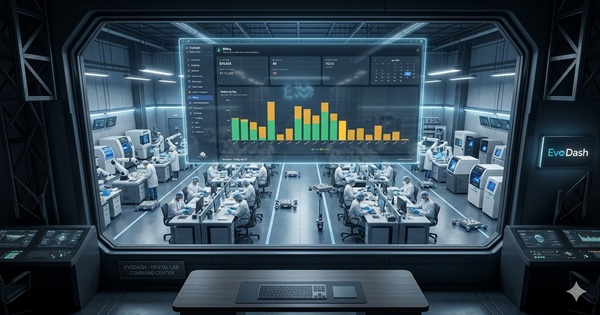
EvoDash Is Live!
After a successful beta with five labs, Evolution's next-generation dashboard is officially here. See real-time lab performance at a glance.
|
| |
|
Are Your Emails Actually Sending?
Windows updates and password changes can silently stop Evolution's email services — and emails may sit as "pending" in your queue without triggering an error alert. Check your email queue under Manage Queues > Email Queue at least weekly (daily for busy labs). If emails remain pending, contact support right away.
Contact Support
|
|
iCortica Webinar — Coming in June
ABS is partnering with iCortica for a webinar on June 4th at 1:00pm ET.
This educational webinar is hosted by icortica's CEO, Rob Nazzal, for lab owners, customer support, sales, field technicians, and marketing staff.
Register Now
|
|
Popular Feature Spotlight
|

|
Evo Sales Mobile App
Stay connected to your lab's sales activity from anywhere. The Evo Sales mobile app puts your case pipeline, customer info, and sales performance right in your pocket.
Watch the Video
|

|
Sales History Menu in EvoData
Answer your toughest sales questions instantly: What is Dr. Jones remake account? What was your best sales day last month? The Sales History tab in EvoData puts powerful reporting at your fingertips.
See Sales History Operations
|

|
Sales Teams Commissions
Did you know Evolution can track and manage sales team commissions? This powerful tool keeps your reps motivated and your numbers accurate. Contact support to learn how to get it set up for your lab.
Learn More
|
|
| 1. |
Fastest Support — Contact
support@atlantabasedsystems.com
or call 1-800-476-2097 Ext. 1. Please do not send support requests to individual ABS employee emails.
|
| 2. |
Check Your Email Queue Regularly — Navigate to Manage Queues > Email Queue to verify emails are processing. Check at least weekly — daily if your lab sends high volume. If emails show as "pending" and are not moving, call support immediately. Password changes and Windows updates can silently stop email services. |
| 4. |
Control-Tab to Jump Between Open Forms — Working with multiple forms open in EvoData? Use Ctrl+Tab to cycle through them quickly without reaching for your mouse. A simple shortcut that can save a surprising amount of time throughout your day.
|
|
| |
|
Why do I see different dates in the Case Inquiry / Case Info tab?
Evolution’s New Order form has two “Due Date” calendars, the Original (RX) Due Date calendar, and the Delivery Due Date calendar. Learn about different dates in Evolution...
View Document
|
|
What happens when I change the date on an invoice?
Once a case number is entered in the invoicing form, the date field becomes editable for the current month. However, any date you enter will remain until you change it again or close and reopen the form. Important: if you change the invoice date mid-session, that date will stay applied to subsequent entries until the form is closed. Always double-check the date before saving, especially when processing multiple invoices in a single session.
Contact Support with Questions
|
|
Can I change the original RX due date on a case?
No. The purpose of the Original (RX) Due Date calendar is for the lab to be able to capture a Due Date specified by the doctor on the prescription. This allows the lab to keep that reference, regardless of how many times a case may be rescheduled for new dates.
|
|
|
Quick Resources:
ABS Home |
Sales |
YouTube |
Support
|
|
You're receiving this because you are subscribed to the ABS Monthly Newsletter.
View this email in your browser
Atlanta Based Systems Inc. | 110 Clarkesville Plaza | Clarkesville, GA 30523
Unsubscribe
|
Privacy Policy
© 2026 Atlanta Based Systems, Inc. All rights reserved.
|